 DEVI
Women safety app · by Macvel Software Solutions
One press of SOS.
Your people know where you are.
DEVI Safety sends your location to the people you trust — on WhatsApp, with an automated phone call — the moment you press SOS.
- Android
- India
- Up to 3 guardians
- WhatsApp + phone call
- SOS ready before sign-in

Getting started
Set up DEVI Safety in 5 steps
It takes two minutes. Do it now, before you ever need it.
Install the app
Download DEVI Safety from the Google Play Store, or scan the QR code above.
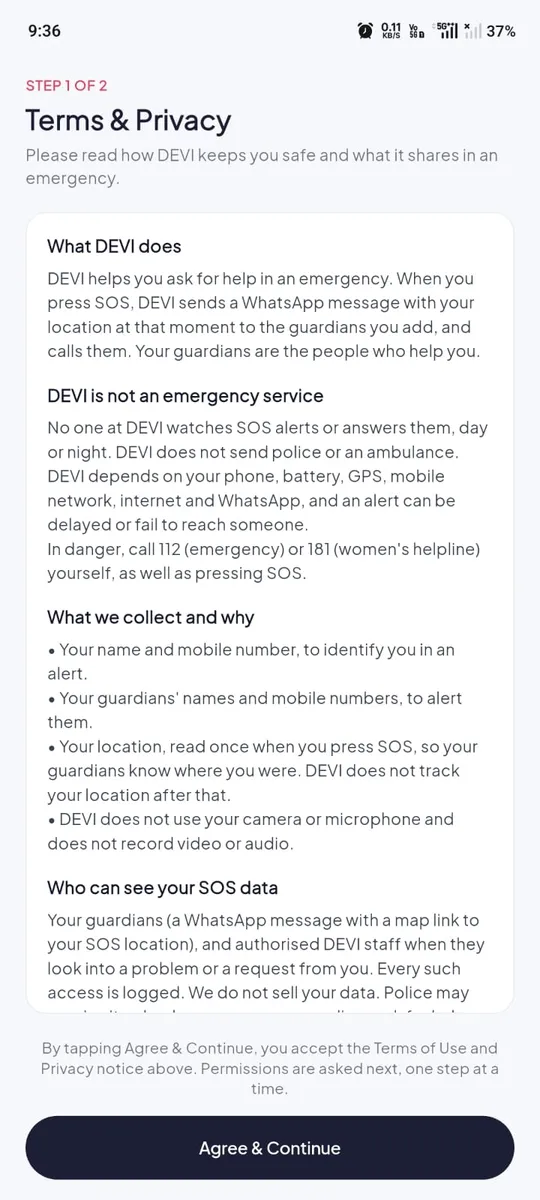
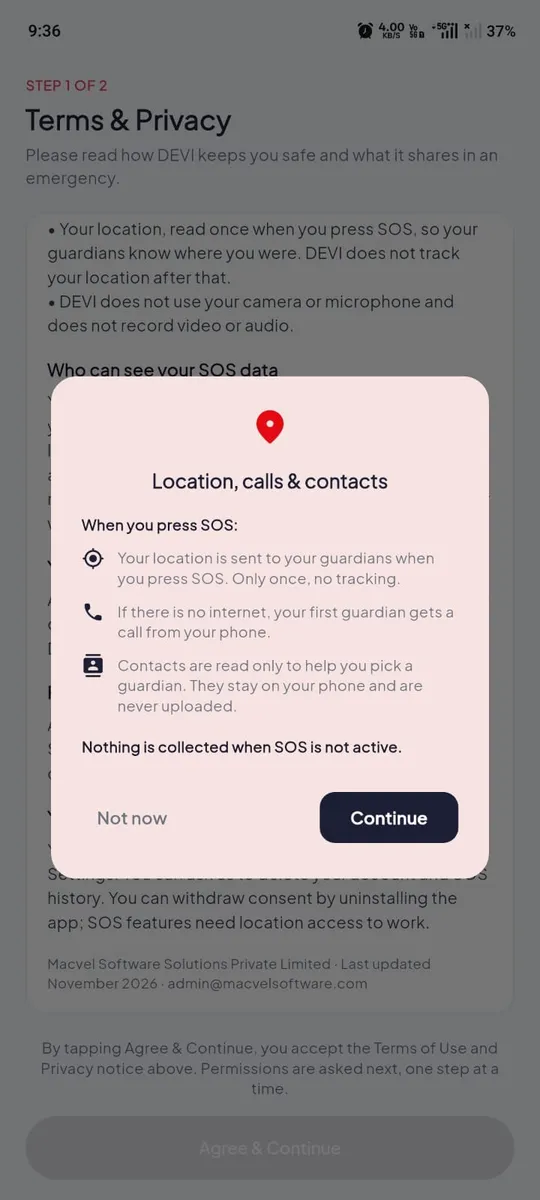
Read and accept the terms
The app explains what it does and why it needs your location, before Android asks for permission.
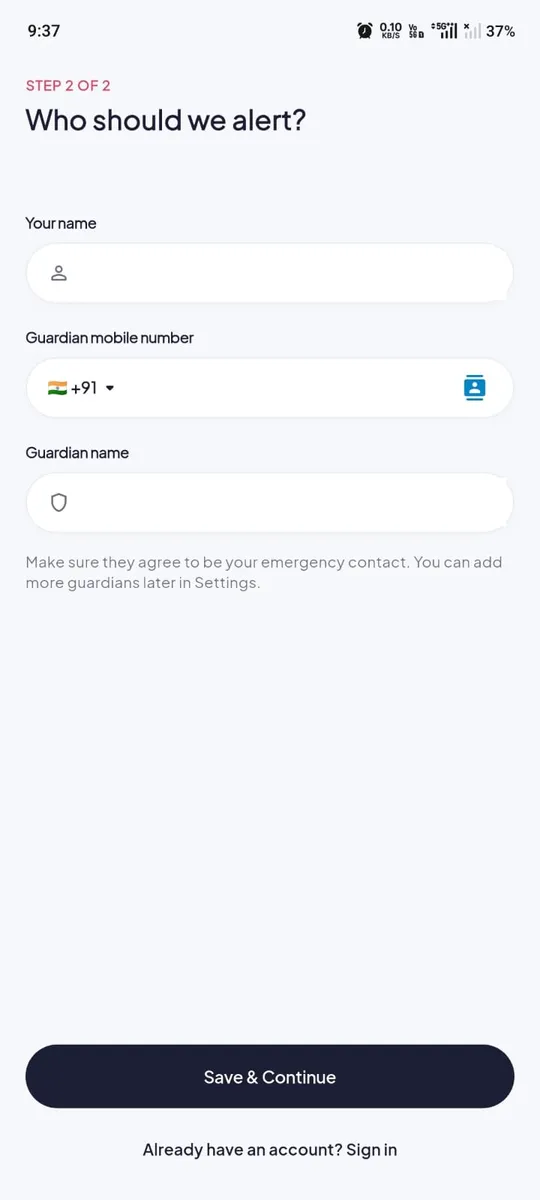
Add your name and one guardian
Pick someone you trust from your contacts, or type their number. Tell them first that they are your emergency contact.
Sign in (recommended)
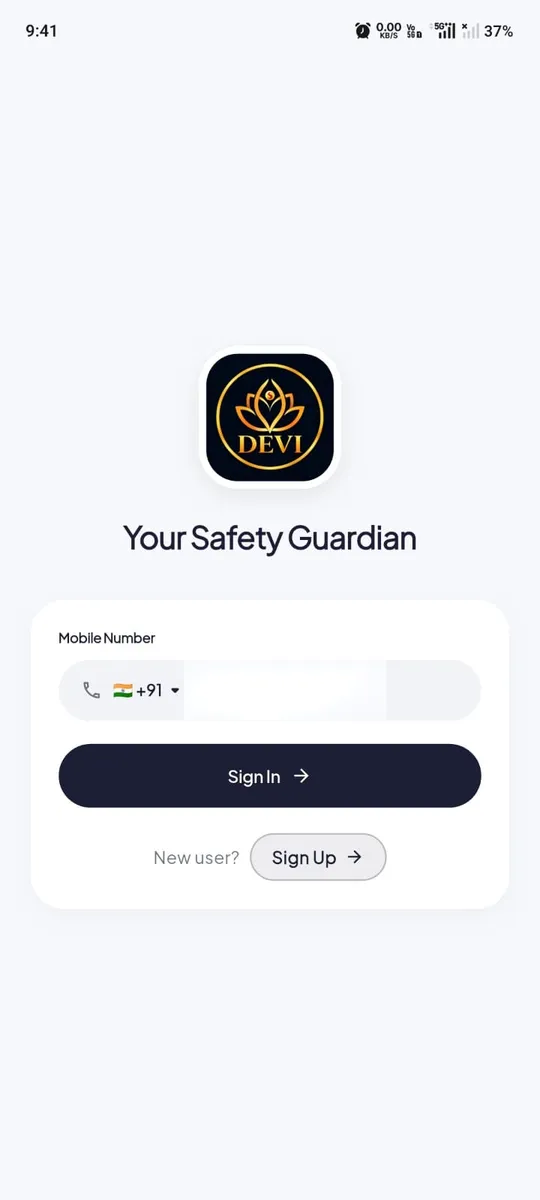
Use your mobile number and the 6-digit code DEVI sends you on WhatsApp. Then add up to 3 guardians in Settings.
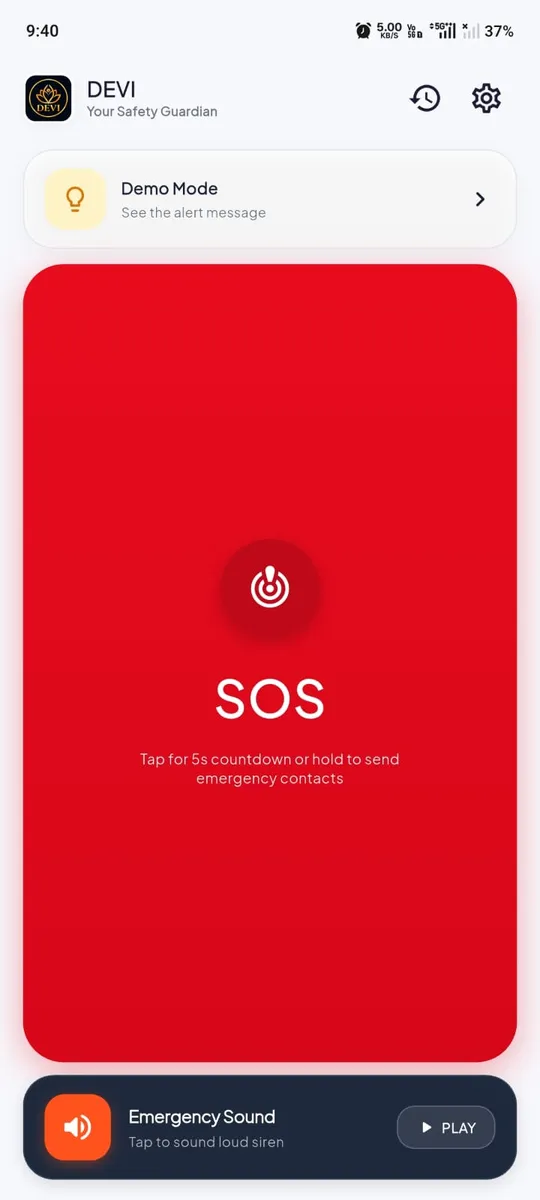
Press SOS when you need help
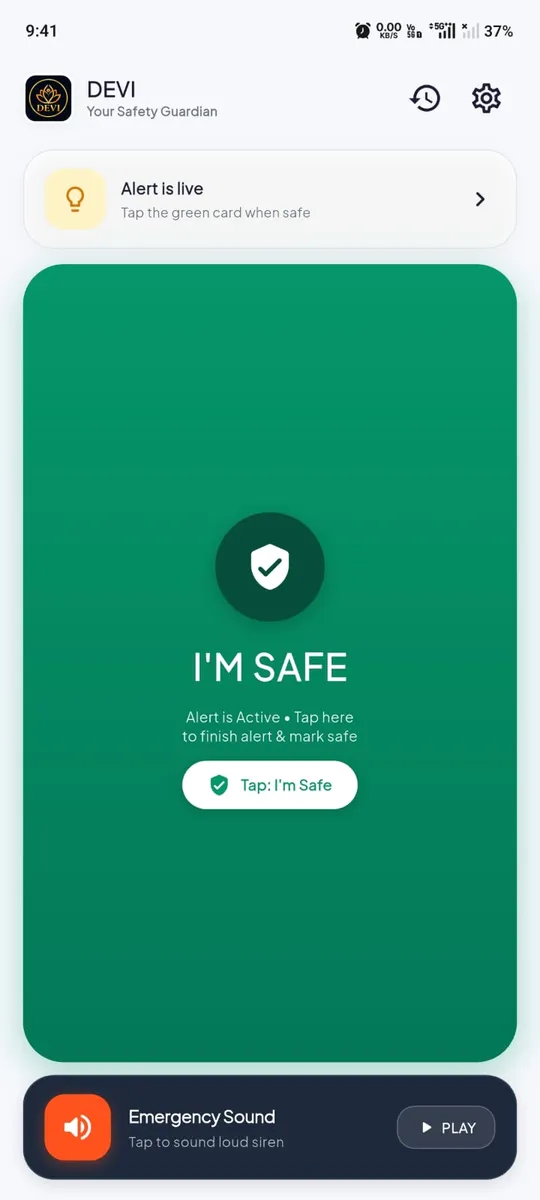
Your guardians get your location right away. Press "I'm safe" when you are out of danger.
See the app
What you will see on your phone
Swipe to see more screens →
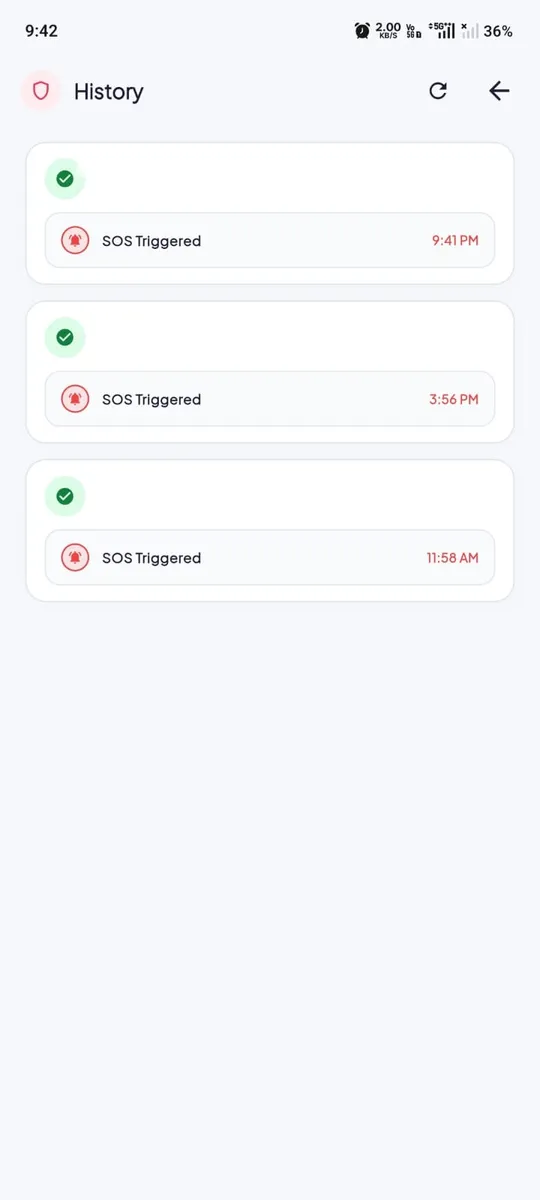
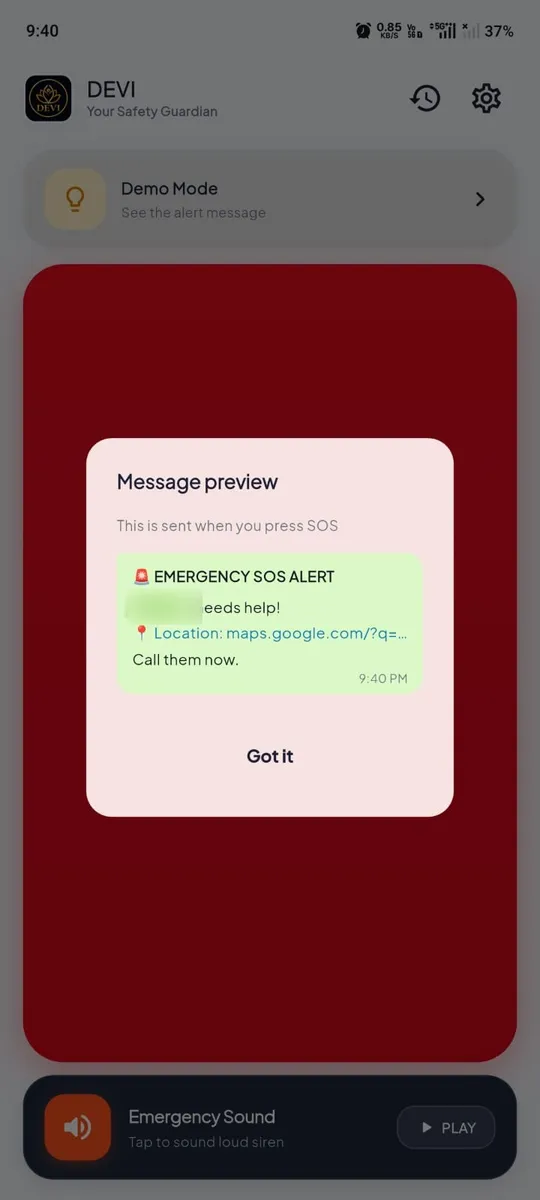
When you press SOS
What happens, second by second
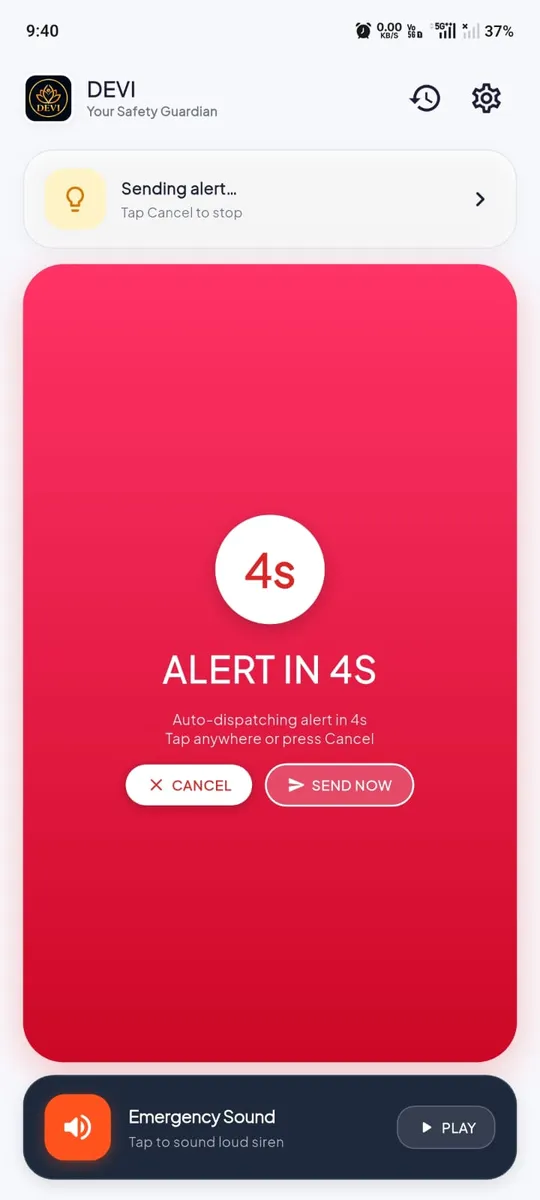
5-second countdown
Pressed it by mistake? Cancel within 5 seconds and nothing is sent. In a hurry? Hold the SOS button, or tap "Send now", to send at once.
Your location is read once
DEVI reads where you are at that moment. It does not keep tracking you after that.
WhatsApp message to every guardian
Your name, the time and a Google Maps link to the place where you pressed SOS.
Automated phone call to every guardian
So the alert is not missed even if WhatsApp is not seen. The guardian presses 1 to confirm they got it.
No internet? Your phone calls for you
If the alert cannot reach DEVI, your phone calls your first guardian straight away using your SIM. The SOS waits on your phone and is sent when the internet comes back, even if the app was closed. Failed messages and calls are tried again.
Press "I'm safe"
When you are out of danger, press "I'm safe" to end the alert.
Built for real situations
Made to work when it matters
Instant SOS, no sign-up first
Add your name and one guardian, and SOS is ready. You can sign in later, when you have time.
Works with a weak network
No internet? Your phone calls your first guardian directly, and the alert is sent as soon as the internet returns.
Loud emergency siren
One tap plays a loud siren to draw attention from people nearby.
Demo mode
See exactly what your guardians will receive, without sending a real alert.
Your guardians do not need the app
They only need WhatsApp and a phone that can take calls. Nothing to install on their side.
SOS history
See your past alerts in the app, and when each one was sent.
For guardians
Someone added you as a guardian?
It means she trusts you to help in an emergency. Here is what you will receive, and what to do.
- Save the DEVI number +91 90806 85175 in your contacts as "DEVI Safety", so you recognise the alert.
- Read the WhatsApp alert. It has her name, her last known location with a map link, and the alert time.
- Answer the automated call and press 1 to confirm you got the alert.
- Call her straight away. If you cannot reach her and you think she is in danger, call 112.
The DEVI WhatsApp number only sends alerts and sign-in codes. Replies to it are not read. For help, write to admin@macvelsoftware.com.
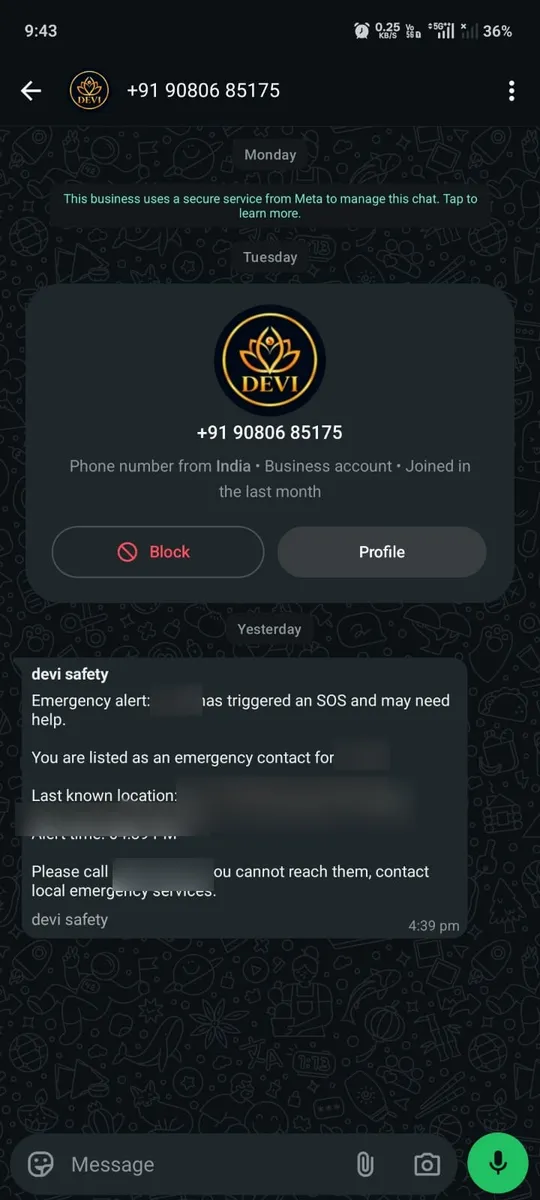
A real DEVI alert on WhatsApp. Name and location are blurred here.
Your data
Private by design
DEVI Safety asks only for what an SOS needs.
What DEVI does
- Reads your location once, only when you press SOS.
- Shares it only with your guardians.
- Keeps your name, numbers and SOS place encrypted on our servers.
- Logs every time authorised DEVI staff look at SOS data.
What DEVI does not do
- Track your location in the background.
- Use your camera or microphone, or record video or audio.
- Sell your data.
You stay in control
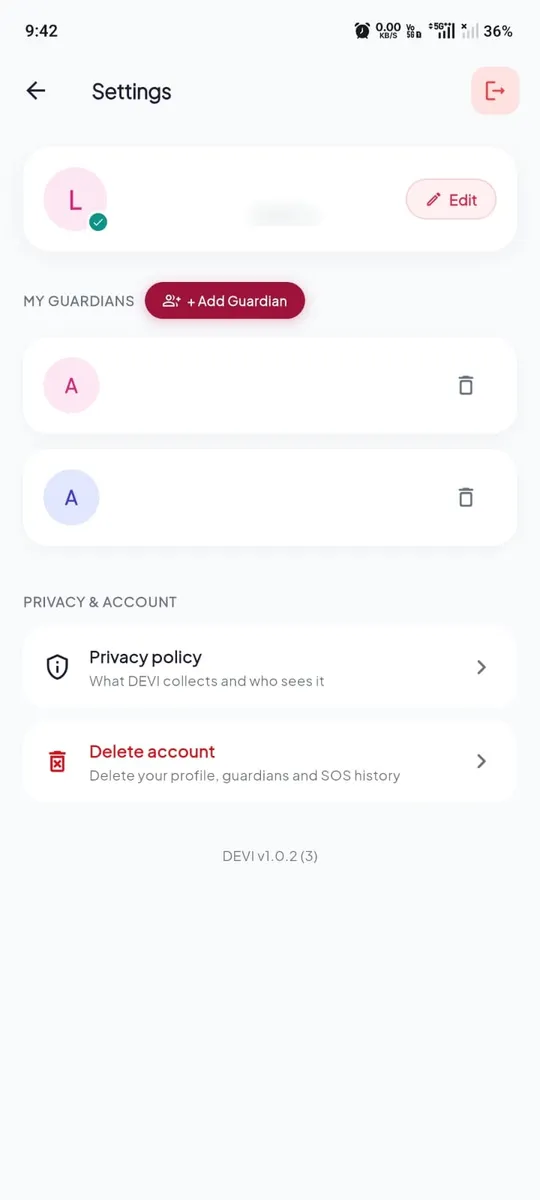
- Change or remove guardians at any time in Settings.
- Delete your account and SOS history in the app, or on the web.
Questions
Frequently asked questions
Is DEVI an emergency service? Will police come?
No. No one at DEVI watches alerts and DEVI does not send police or an ambulance. DEVI alerts your guardians. In danger, call 112 or 181 yourself as well.
Is it on iPhone?
Not yet. DEVI Safety is on Android, through the Google Play Store.
Which countries does it work in?
India, with Indian mobile numbers.
How many guardians can I add?
Up to 3. You need at least one guardian, so the last one cannot be removed.
Do my guardians need to install DEVI?
No. They get a WhatsApp message and a phone call. They only need WhatsApp and a working phone number.
What if I press SOS by mistake?
You have 5 seconds to cancel before anything is sent. Please tell your guardians before you test SOS on them.
Does DEVI track me all the time?
No. Your location is read once, when you press SOS. DEVI does not track you before or after that.
What if I have no internet when I press SOS?
Your phone calls your first guardian straight away using your SIM. The SOS is also kept on your phone and sent when the internet comes back, even if the app was closed. If you are in danger, call 112 too.
How do I delete my account?
In the app, go to Settings. Or use the delete account page. Your account, guardians and SOS history are deleted.
Who makes DEVI Safety?
Macvel Software Solutions Private Limited, India. Contact: admin@macvelsoftware.com.
Available on Google Play
Get DEVI Safety today
Set it up now, add your guardians, and keep help one press away.
Scan with your phone camera